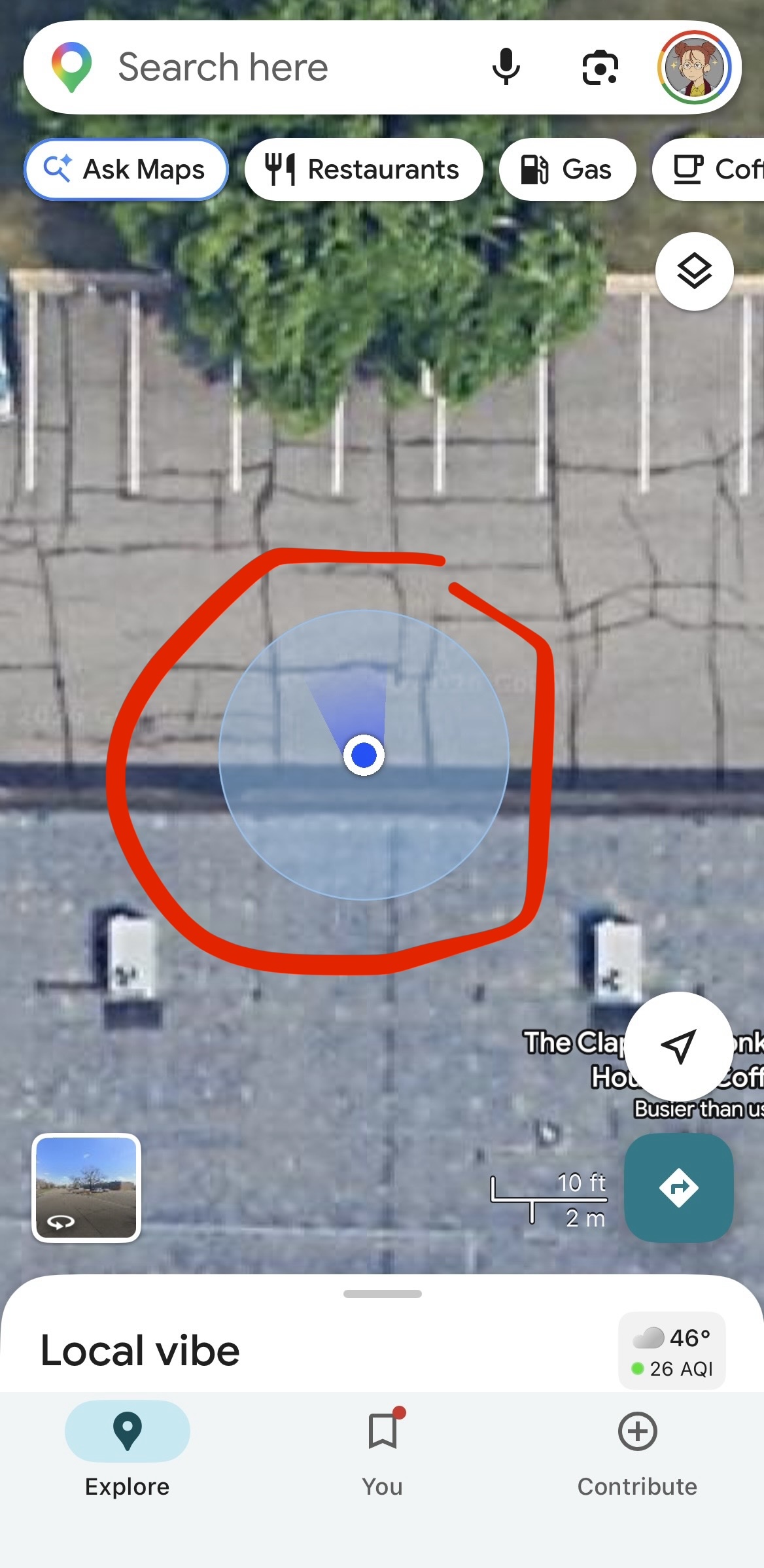
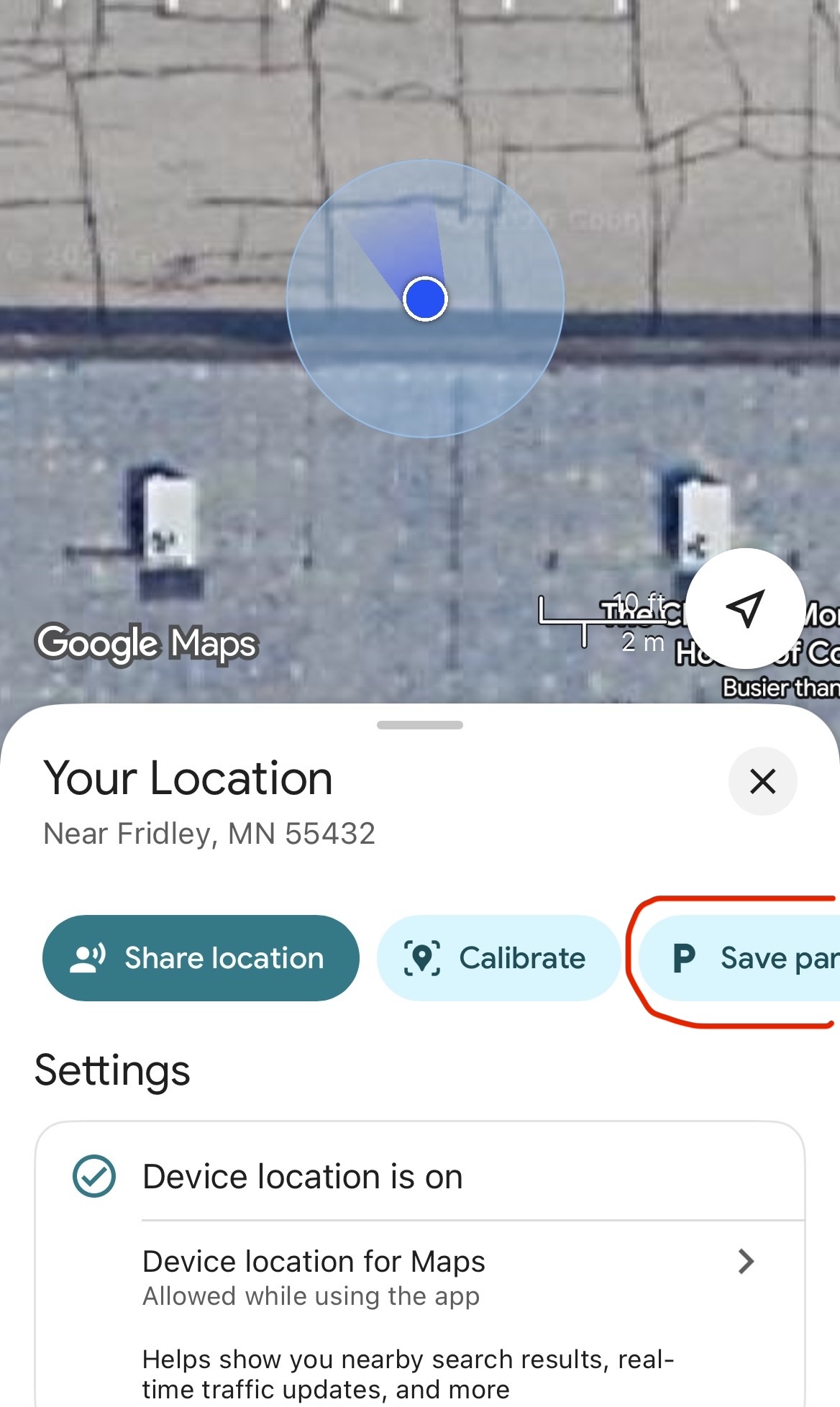
Our parking lot is big enough to fit everyone, but we did get some feedback last year that it’s so big that finding your car can be difficult. We recommend dropping a pin on Google Maps to help you find your car! Read the steps below to learn how to do this.
- Open Google Maps on your phone. It should center on your location in the parking lot with a blue dot.
- Tap on the blue dot. A menu will pop up at the bottom of the screen, with some options. On the right is a button that says "Save parking".
- Press this button, and Google Maps will save your approximate parking location.